


PPS - PowerPoint Slide Shows
PowerPoint Slide Shows can contain images and sounds that File Juicer can extract as ordinary image and sound files. You can use Microsoft Office or Apple's KeyNote to open these files, but in most cases the slideshow is a collection of interesting images collected via email and on the web. If so, it is more flexible to extract the images and show them with iPhoto or Preview.
To do this, you drop the .PPS file on File Juicer and it will extract the images and save them in a folder ready for viewing, emailing, being imported into iPhoto.
How to Play Images as a SlideShow Without PowerPoint
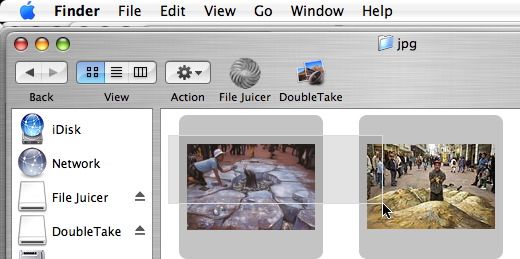 1) Select the images by clicking down
the mouse and dragging over the images you want to play as a slide show. You can also select each image one at a
time if you hold down the shift key.
1) Select the images by clicking down
the mouse and dragging over the images you want to play as a slide show. You can also select each image one at a
time if you hold down the shift key.
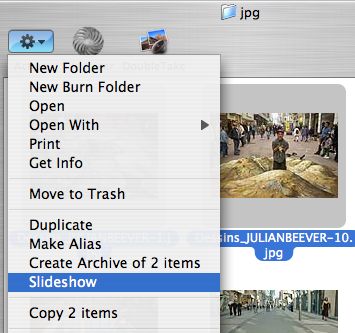 2) Open the "gear" menu and pick
Slideshow.
2) Open the "gear" menu and pick
Slideshow.
 3) You can control how the slide show is presented at the
bottom of the screen.
3) You can control how the slide show is presented at the
bottom of the screen.