


FullBackup and IncrementalBackup files
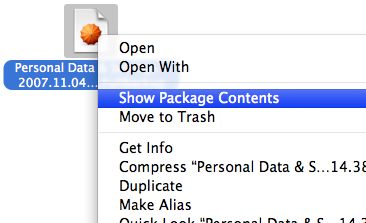
Apple Backup makes these files. You can drop them on File Juicer and extract what is possible that way, but you may try to pry out data from them manually too.
Hold down the control key while you click on the file. Then pick "Show Package Contents"
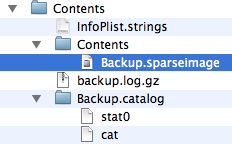
Inside you will find "spareseimage" files. Unless they too are corrupted you can open them by double clicking on them. They are virtual disks and can also be investigated with Apple's Disk utility.

They appear in Finder under "Devices" as if you have put in a CD in your Mac. Now you can dig through the files and search the folders inside manually.