


NEF - Nikon Raw Images
Many of Nikon's digital cameras can shoot images in raw format which contains everything its sensor sees. The NEF format can
also contain a JPG and TIFF version of the same image.
Extract and Convert to JPG or TIFF
File Juicer is the fast and easy way to convert NEF files. Adobe Lightroom is the advanced solution.
Drag your NEF files onto File Juicer and you will get them converted to JPG and TIFF, and it will also extract the original JPG preview found inside
Speed
NEF files are bigger than the usual JPG files, but they don't take long to convert. On my trusty 2.93 GHz iMac File Juicer will convert 90 NEF files per minute. 45 files per minute if it is to TIFF.
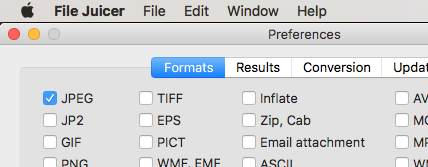
Since File Juicer pulls out images from other types of files too, you can turn off those feature in the preferences if you never use them.
Highest Speed
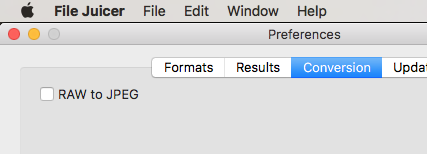
You get highest speed if you only extract JPG and turn off conversion