


RTF & RTFD - Rich Text Format
RTF is one of the basic file types File Juicer can extract from other files. RTFD can contain images which File Juicer can extract.
On macOS, RTF is the main type of styled text you can copy and paste via the clipboard. Applications that save copied text and preserve style do this by saving RTF, though they may choose to reformat the text with loss of styles.
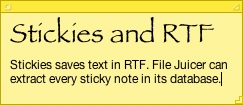 Stickies use RTF in their file format. The database is stored in your Library folder under the name "StickiesDatabase". This is a private file format, but it contains each sticky note in its own chunk of RTF which File Juicer can extract.
Text clippings with style that you drag from applications to your desktop also contain RTF, which File Juicer can extract.
You can use TextEdit to convert an RTF file to plain text if you do not need the styles.
One variant of RTF common on macOS -- RTFD -- stores images inside the file. File Juicer will extract those.
Extract RTF or text from PDF
Although this is more conversion than extraction, File Juicer can use macOS's built-in text engine to grab the text out of PDF files. Check the RTF or ASCII checkboxes in the preferences and drag the PDF to File Juicer.
Extracted text is in UTF-8, which preserves accented letters if you open it in an application that supports UTF-8 (TextEdit does by default).
Converting to Microsoft Word
RTF is a format originally developed by Microsoft and is well understood by Word. With File Juicer you can use it as an intermediate format to convert PDF files to Word.