


Extract Images and Text from PDF
PDF files can contain any type of file, just as an email can have attachments. File Juicer can extract exact copies the bitmap
images which are stored inside the PDF as JPG, TIFF, PNG or PDF bitmap.
File Juicer can also extract PDF which are embedded in other files.
JPEG
Compressed images are stored in PDF as embedded JPEG files which can be extracted exactly as the are without conversion.
EPS and PostScript
Are converted to PDF the same way Preview does before they are "Juiced".
Losslessly compressed images
File Juicer extract them as PDF to preserve the ICC color information with the file.
Vector Graphics
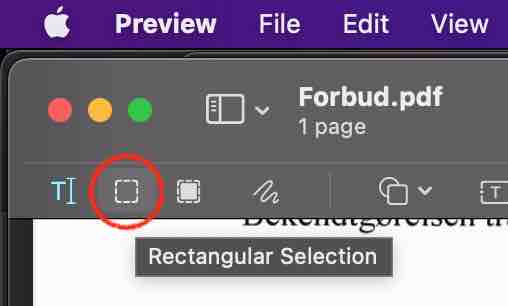
Is an integrated part of the PDF files, and there is no boundary between text and graphics. To extract vector graphics from a PDF, you can use Apple Preview which let you place a crop and copy the contents to a new PDF.
One exception is if an EPS file is embedded in a Word document and then printed to PDF. File Juicer can extract the EPS from this PDF.
Images Mirrored, Inverted or Cut Into Strips
File Juicer extracts images, exactly as they are, no changes, from the files you search in. PDF files are made by many applications, and some of those cut images into stripes, inverts, rotates or mirrors them, scales them or covers some of them up. What ends in the PDF is decided by the application which creates the PDF.
 You can deal
with such PDF files by "rendering" them to a pixel based file format with Preview.
You can deal
with such PDF files by "rendering" them to a pixel based file format with Preview.
- Select the image you wish to save
- Copy it
- Pick New from the File menu
- Save as TIFF, JPG or PNG as you desire
Text
File Juicer can extract the text both as plain text and as RTF. In the plain text case, you enable the "ascii" checkbox in the preferences. Note that the encoding of the extracted text is UTF-8 which preserve the "exotic" characters which can be found in PDF files. TextEdit understand UTF-8 if you chose it in the preferences.
RTF can also be a good format if you wish to convert simple PDF files to Word.
CSV Data
CSV data can sometimes be parsed out form PDF files. This needs custom handling in each case.
Scanned Text
If you have a scanned document, File Juicer can extract the images from it, but it does not convert the images to text. You need an Optical Character Recognition application.
ICC profiles
 PDF files may result in File Juicer finding ICC profiles. They are stored separate from the
images but when File Juicer saves images from PDF, it will include the ICC profiles correctly.
PDF files may result in File Juicer finding ICC profiles. They are stored separate from the
images but when File Juicer saves images from PDF, it will include the ICC profiles correctly.
Encrypted PDF files
Are not searched or decoded by File Juicer. If the PDF allow printing you can print to PDF and juice that one instead. Otherwise you need a PDF password recovering utility.Troublesome PDF files
Some PDF files may be encoded in unusual ways where images are not stored in any of the standard formats File Juicer can recognize (see File Juicer's preferences for a list). Sometimes Preview can help out as it can "normalize" the PDF into a more streamlined format if you "Print" the PDF to PDF.Negative Images
Some PDF files are designed to be printed on negative film. They contain negative CMYK images.
The lossless way to extract those images is to let File Juicer extract them as PDF and optionally convert those PDF to JPG with Apple's Preview.
You can normalize those PDF files by "Printing" the PDF to PDF with Preview. Then drop the "Printed" PDF on File Juicer and it will extract soft proofed images, which comes fairly close to the intended look.You can also invert CMYK images with Adobe Photoshop